PC Workman · Features

Everything PC Workman does

PC Workman is a free system monitor and optimizer for Windows 10 and 11. It reads your sensors and explains them, remembers how your PC behaved for months, cleans and tunes it with a measurement before and after, and answers questions about it offline. Twenty-one features, one program.

21features in one program
522Windows processes described
228games it recognises
0accounts, ads or cloud needed
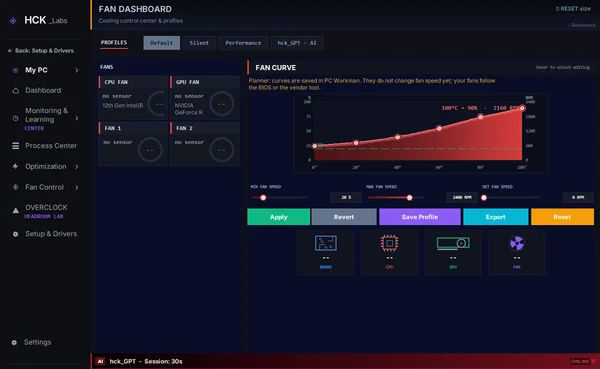
Built in public since 2025, and mature. Almost every feature on this page works in full. The one held back on purpose is the Fan Dashboard: it plans fan curves and shows measured fan data, but does not drive the fans yet. Stability and tests that cover everything come first.

Monitoring that explains itself

DeepMonitor

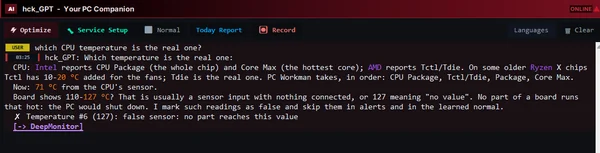
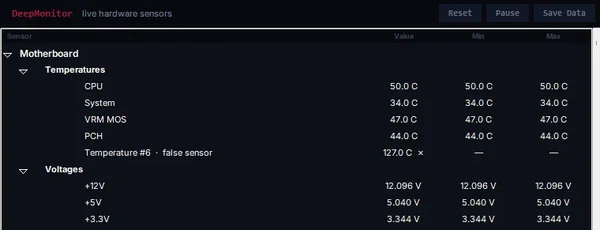
Every sensor of the CPU, GPU, RAM, disks, fans and voltages, with the reading explained: which CPU temperature is the real one, what is normal for this PC, and which motherboard sensor reports a false 110 °C.

Instead of HWiNFO, HWMonitor, AIDA64

Learn more →
Activity Memory

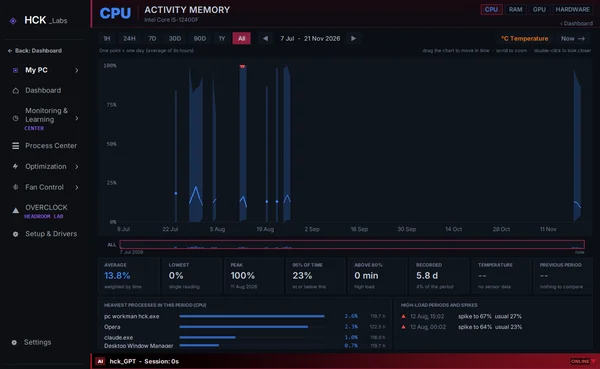
CPU, GPU and RAM history kept for more than a year. Go back to yesterday 21:00 and see which process slowed the PC, or compare this month with half a year ago, before a Windows update.

No equivalent in other monitors

Learn more →
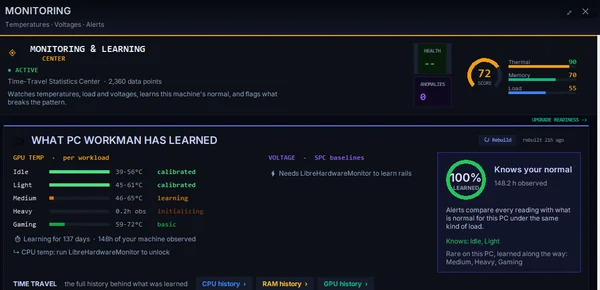
Monitoring & Learning

Learns what is normal for this PC under idle, light and heavy load, so 82 °C is judged against your own norm, not a number from a forum. Voltages are watched for drift.

No equivalent in other monitors

Learn more →
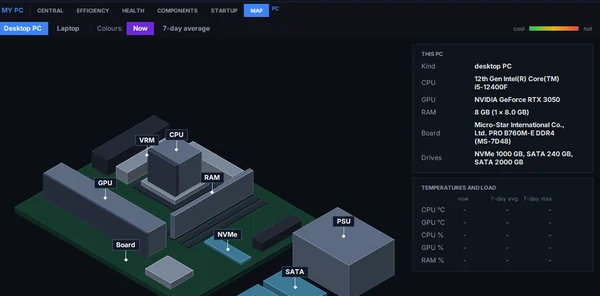
PC Map

Your components drawn as a desktop or a laptop, coloured by the temperature now or the 7-day average. Hover a part for its details, click it to open its history.

Instead of an AIDA64 report

Learn more →
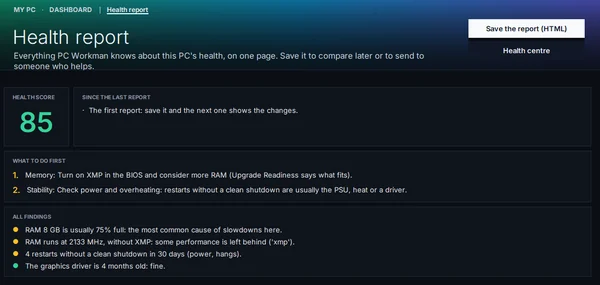
Health Report

One HTML file that says whether the PC is healthy: temperatures against the norm, disks, drivers, startup and what to do first. Save it or send it to whoever fixes your PC.

Instead of AIDA64 reports

Learn more →
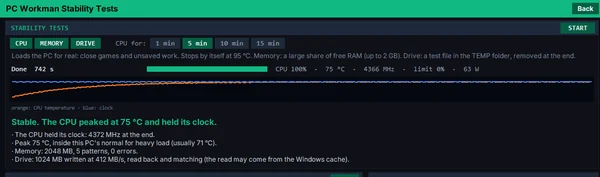
Stability Tests

CPU, RAM and disk tests that measure temperatures and clocks while they run and end with a verdict in plain words, compared with this PC's norm.

Instead of OCCT, Prime95, the AIDA64 stability test

Learn more →
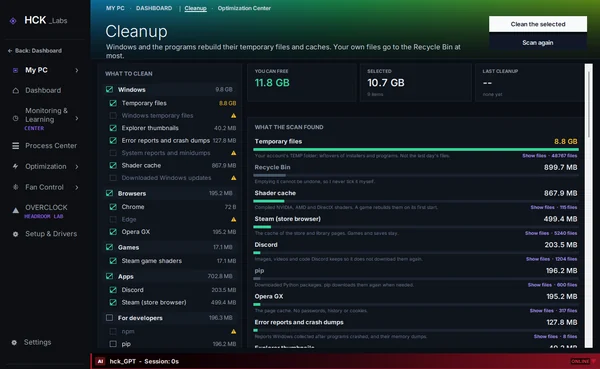
Cleanup and optimization, measured

Cleanup

28 known places in Windows, browsers, games and apps, a disk analysis that says what every big folder is, and free space history with a forecast. Files shown first, open programs skipped, no registry cleaning.

Instead of CCleaner, Disk Cleanup, Storage Sense

Learn more →

Optimization Guide

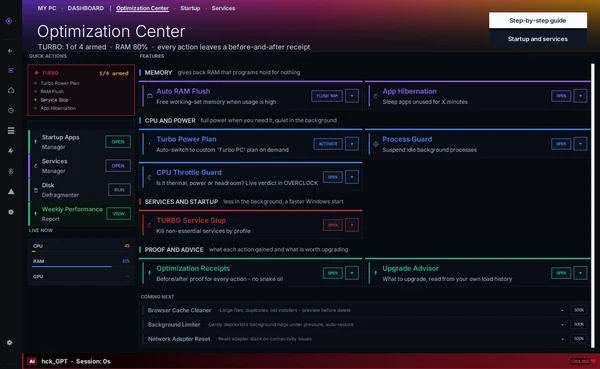
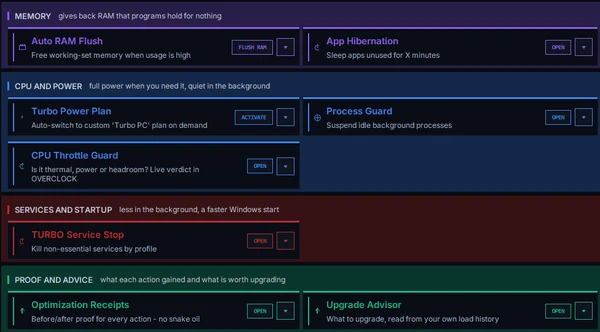
Six steps from startup to services, each with a measurement before and after and a receipt of what changed, so you know which step helped and can undo it.

Instead of "speed up your PC" tweak lists

Learn more →

Startup Manager

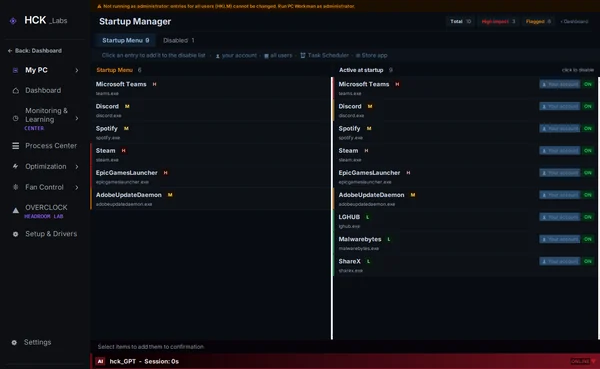
Registry, the Startup folder, Task Scheduler and Store apps in one list, with the boot impact and a recommendation per entry. Disables the way Task Manager does, so it can always be undone.

Instead of Task Manager, Autoruns

Learn more →

Services Manager

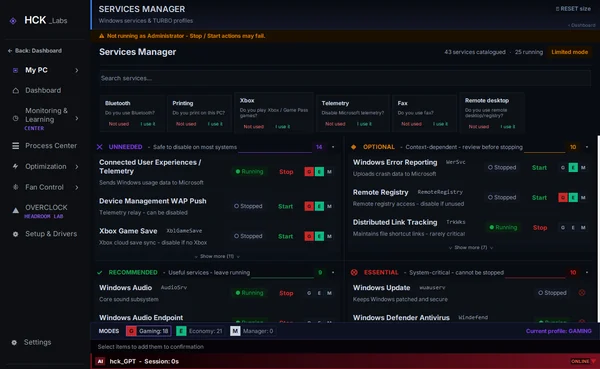
Windows services explained, with ready profiles: Gaming stops 18 candidates, Economy 21, or your own list. Critical services are protected and everything returns with one click.

Instead of services.msc

Learn more →

TURBO

One switch for gaming: RAM Flush above 75%, a Turbo power plan, paused services, Process Guard and App Hibernation for programs you do not need right now. Measured, not promised.

Instead of Windows Game Mode, Razer Cortex

Learn more →

Process Center

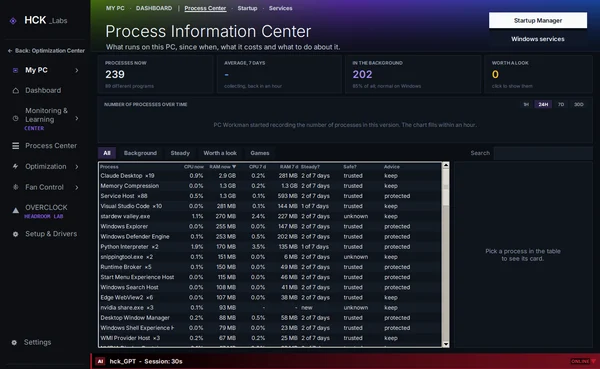
522 Windows processes described in plain words, with "can I close it", 7-day averages and a card on hover. Unknown process? Ask hck_GPT from the same row.

Instead of Task Manager, Process Explorer

Learn more →

Setup & Drivers

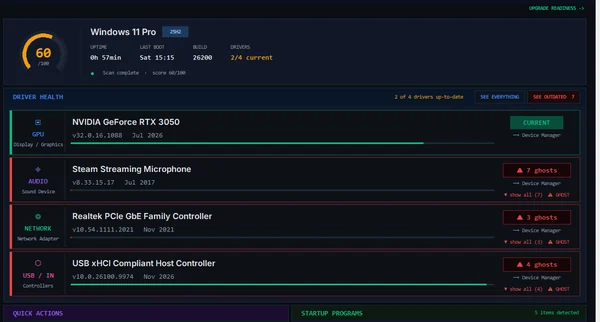
Finds ghost drivers left by hardware you removed long ago and rates the age of the drivers you use, calmly, without selling an updater.

Instead of Device Manager, driver updaters

Learn more →

Fan Dashboard

Fan curves with drag-and-drop points, live RPM cards and profiles (Default, Silent, AI, your own), saved and importable.

Instead of Fan Control, MSI Afterburner curves

Learn more →

Games

Game overlay

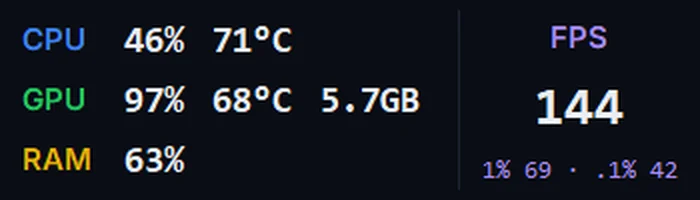
FPS, temperatures and load in a game, in three layouts (Default, Compact, Pro), showing only what you choose. Works on any graphics card, reads FPS from RTSS when it is installed.

Instead of MSI Afterburner + RTSS, NVIDIA App

Learn more →

Games

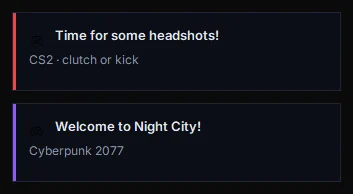
Recognises 228 games, greets the one you start with a calm note, and keeps every session: how long you played and how hard the CPU and graphics card worked.

Instead of NVIDIA App statistics

Learn more →

Hardware

Overclock Headroom Lab

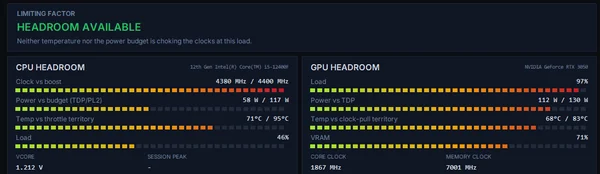
Read only. Shows what limits your clocks right now, temperature or power, and how much headroom the cooling leaves, before you touch an overclocking tool.

Before MSI Afterburner, Intel XTU

Learn more →

Upgrade Readiness

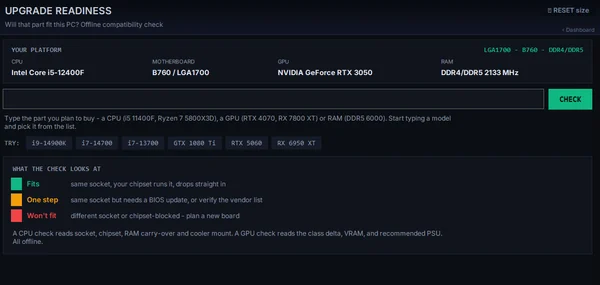
Reads your PC by itself and says what fits: which processor your board takes, how much RAM, which upgrade gives the most. Offline, no list to type in.

Instead of PCPartPicker

Learn more →

hck_GPT

hck_GPT

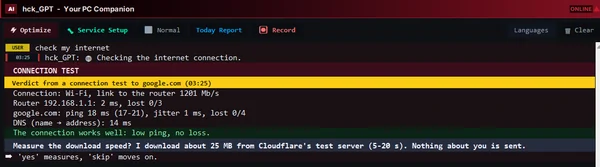
An assistant that knows this PC and runs offline. Ask "why is my PC slow" or "is 82 °C a lot" and it answers from your own data, with a link to the tab that fixes it.

Instead of asking Copilot or ChatGPT in the cloud

Learn more →

Network test

Checks the router, DNS, ping, jitter and loss and says where the problem is: "it is DNS", "the problem is past your router". A speed test only when you agree.

Instead of Speedtest, fast.com

Learn more →

Your data

Your profile and data

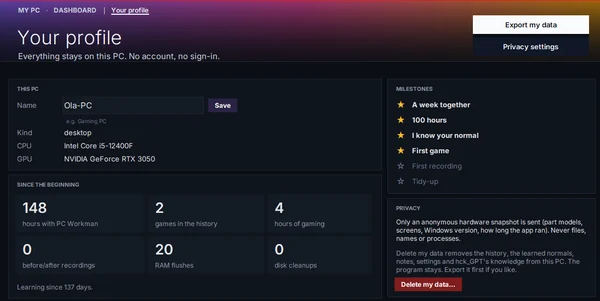
Everything PC Workman learns stays on your disk. Export it, delete it, and see exactly what anonymous telemetry sends, or turn it off.

Open source, MIT licence

Learn more →

How PC Workman compares with HWiNFO, CCleaner, MSI Afterburner, AIDA64 and others →

PC Workman Central is in preparation: the same monitoring for a classroom, an office or a fleet of PCs, on your own network, without a cloud account. Read more and join the pilot →
Download PC Workman Guides Free for Windows 10 and 11 · open source