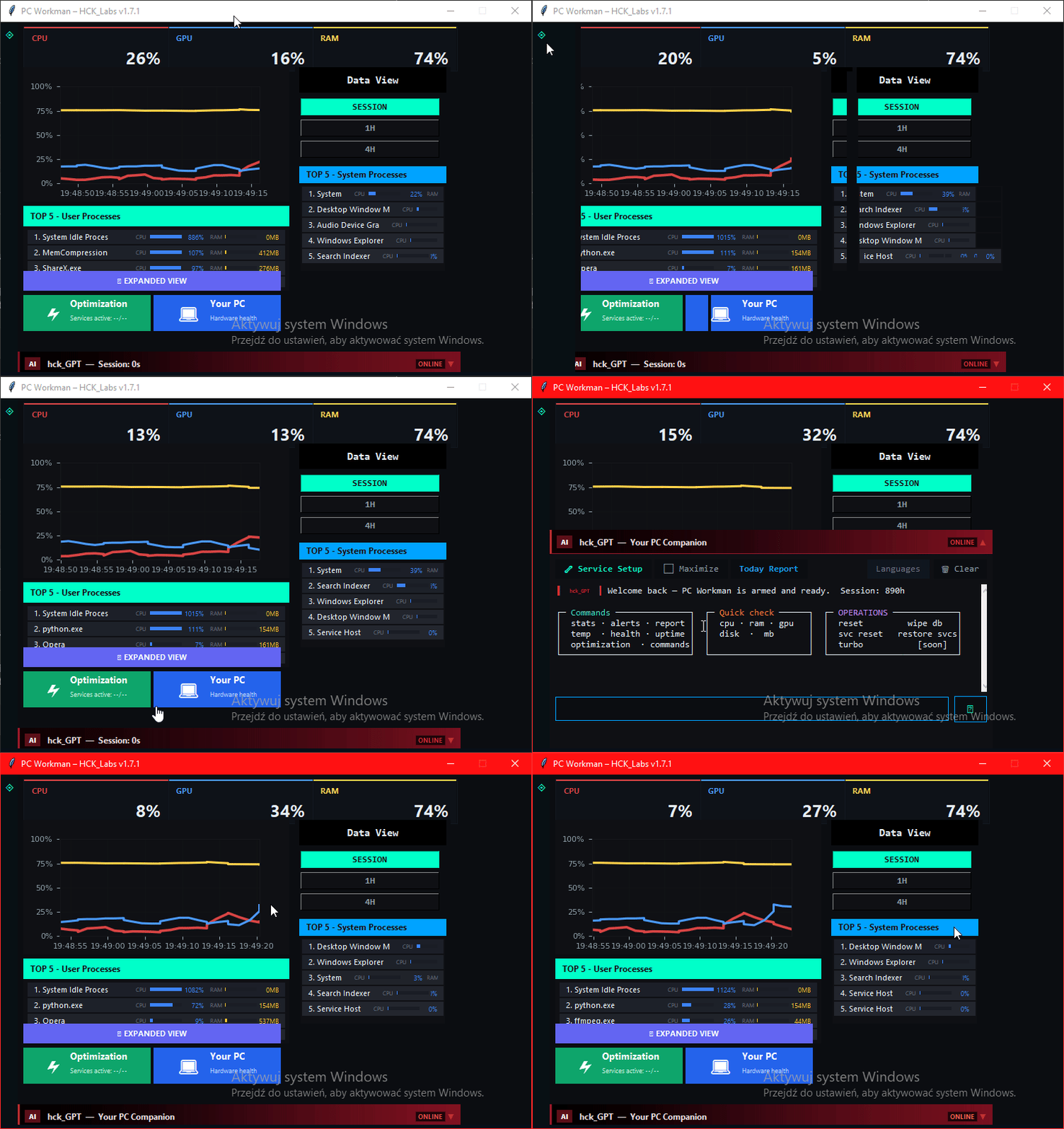
PC_Workman: not just monitoring —
An assistant that understands your hardware |

hck_GPT with 82 intents — offline, local, no API key. TURBO suite. Ghost Driver Detection. DeepMonitor. 2.5D PC Map. Learns your specific hardware, not generic norms.

Build in Public hck_GPT 82 intents Open Source MIT
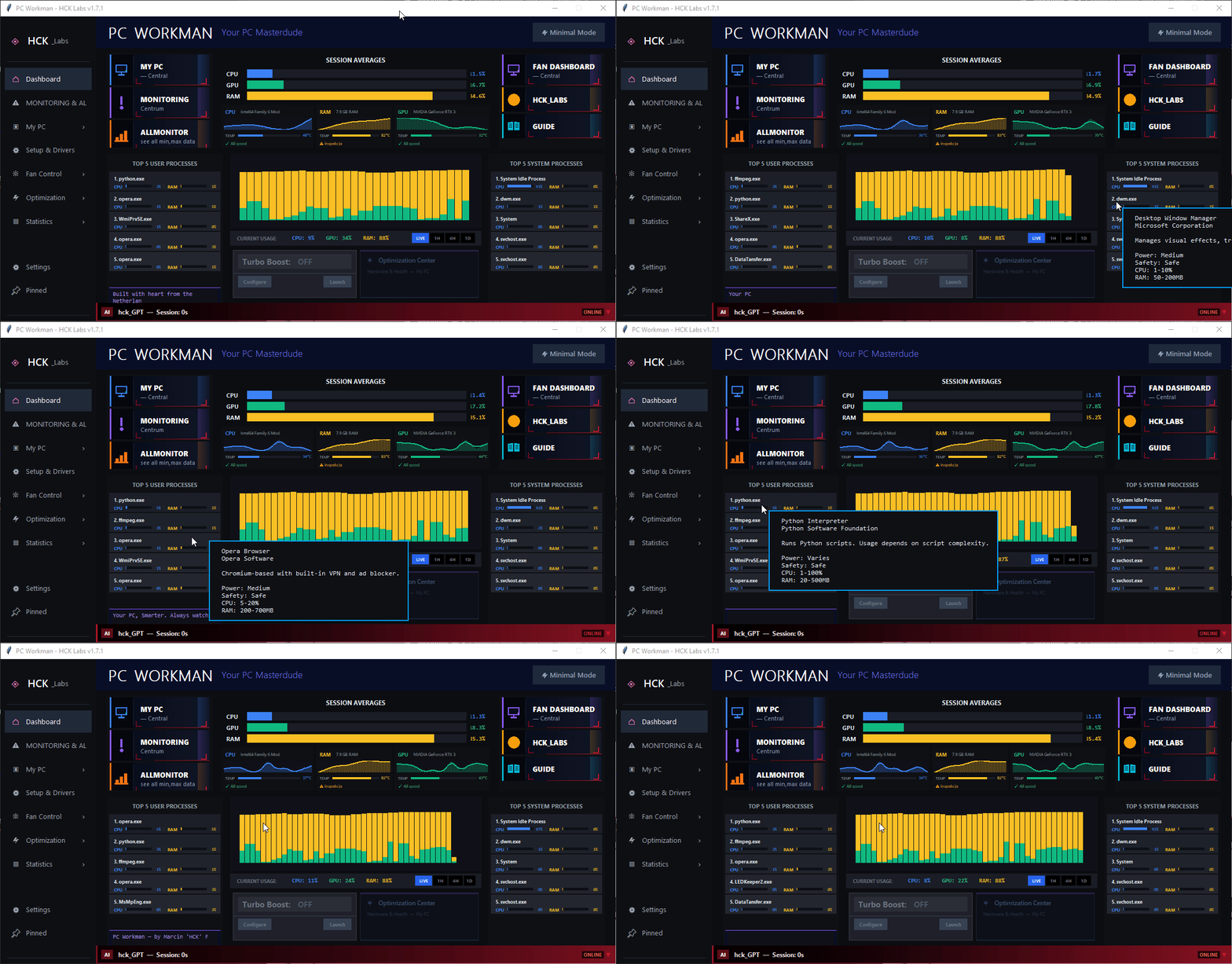
PC_Workman v1.6 Dashboard – main screen with 5 modules
hck_GPT in action
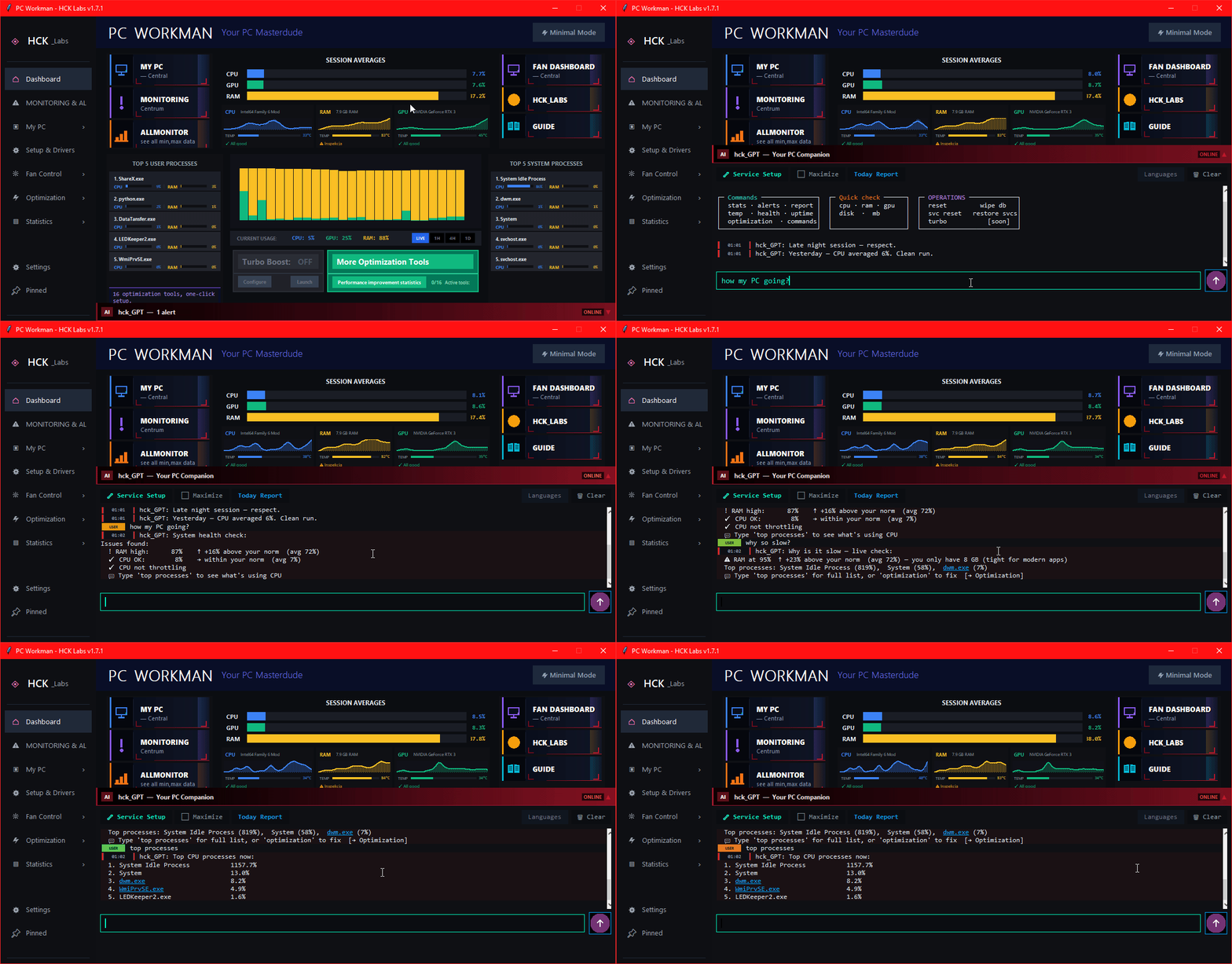
hck_GPT – chat with PC assistant, 9-layer logic
9-layer logic
Scroll

Architecture

5 Modules, One Program

Each does one thing well. Together they form something HWMonitor and Afterburner will never combine.

LIVE
My PC
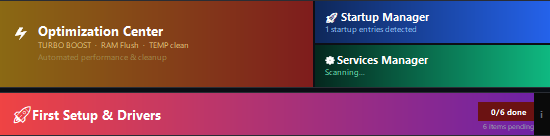
Navigation hub. Stats & Alerts, Optimization Center, Startup Manager, Services Manager, First Setup & Drivers, Stability Tests, Your Account — everything in one place.
My PC – navigation buttons to all modules
4 / 16 LIVE
Optimization Center
TURBO mode one toggle: Auto RAM Flush (>75%), Turbo Power Plan, Turbo Service Stop, Process Guard.
Separately — service modes: Gaming, Work, Economy.
Gaming 14 services Work 23 services Economy 17 services
LIVE
AllMonitor
HWMonitor in a more modern form. CPU, GPU, RAM, disks, voltages — everything in real time. Data feeds the Stats & Alerts engine and powers hck_GPT to be more useful every day.
LIVE
Fan Dashboard
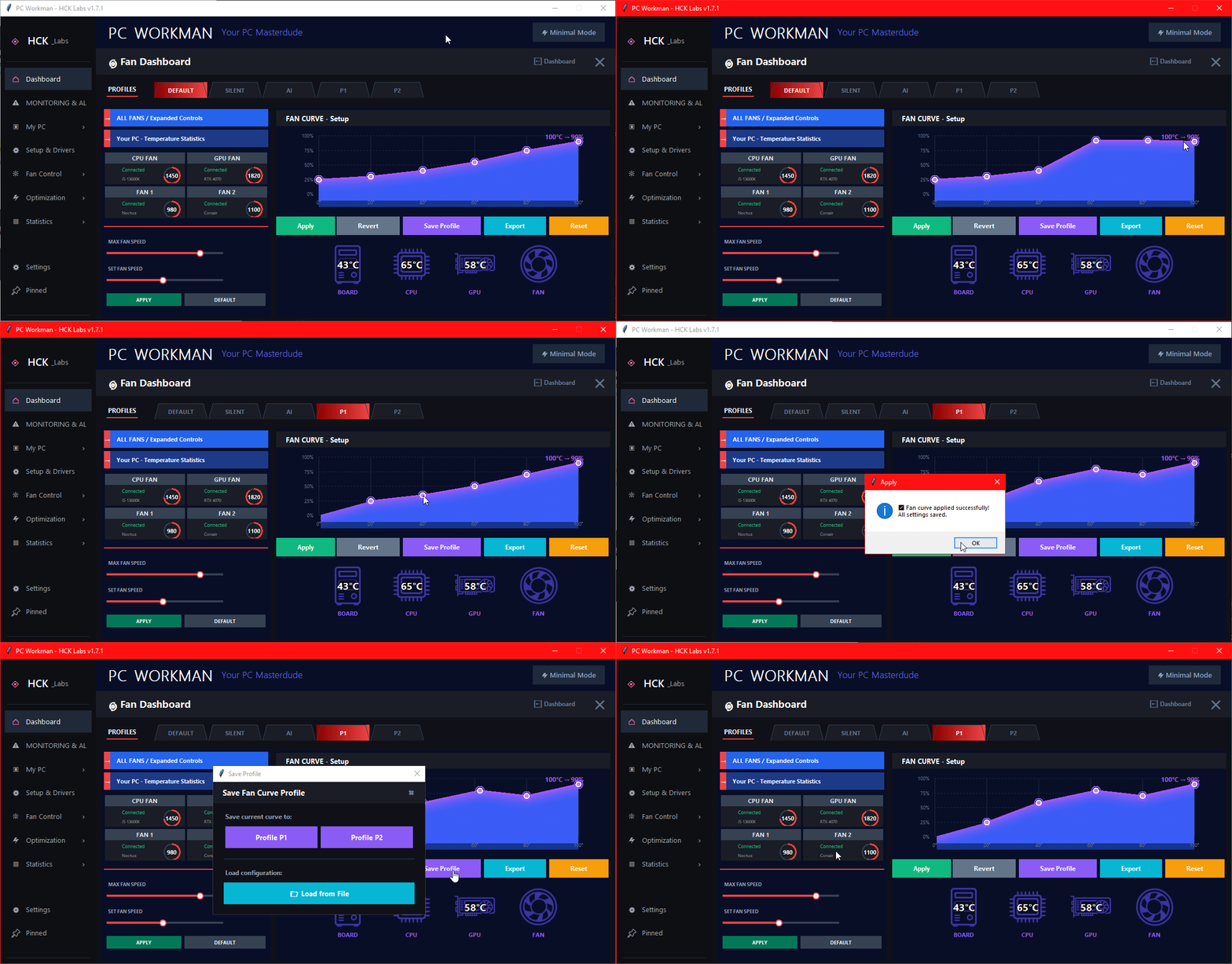
Custom RPM curves with drag-and-drop points. 2×2 fan status cards with real-time RPM. Profiles: Default, Silent, AI, P1, P2 — saved to JSON, importable. Full cooling control.
Fan Dashboard – fan curve editor, RPM monitoring, profiles
LIVE
GUIDE
Program guide + innovation: Guide on program LIVE. Greets the user on first launch, highlights specific Dashboard elements and quickly explains what each one does. Onboarding that doesn't annoy.

Inside My PC

Managers that actually do the job

Not dashboards for aesthetics — each one has a concrete action to perform.

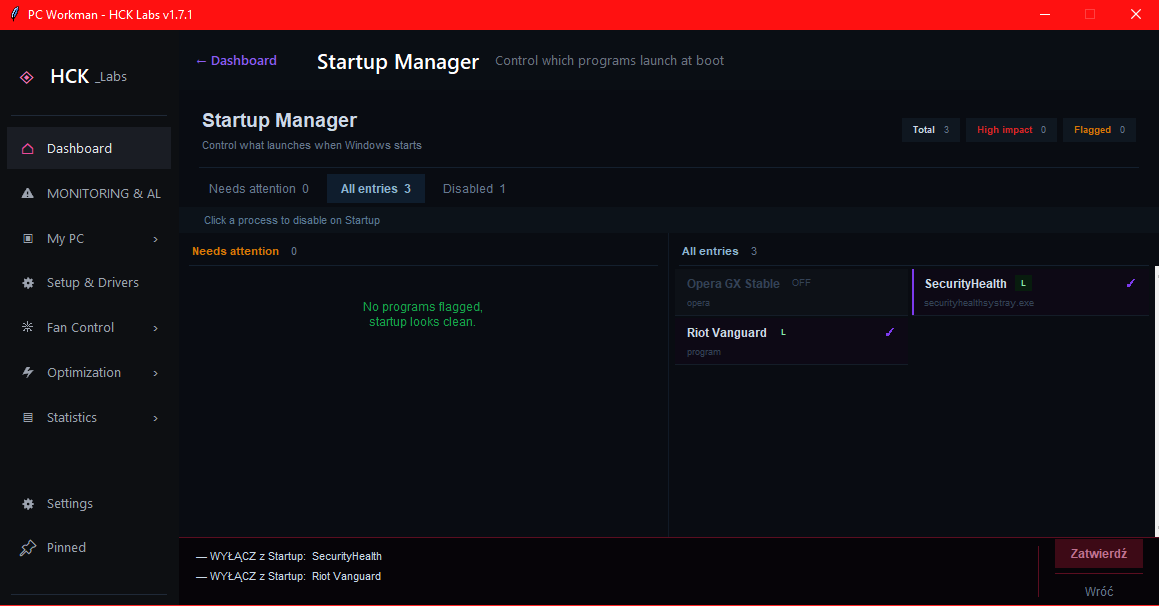
Startup Manager – managing Windows autostart
My PC - Startup Manager

What launches with Windows — and why it takes so long

Full list of processes starting with the system. See the boot impact of each entry, disable unnecessary ones with one click. No need to dig through msconfig or regedit. End of "Windows takes 3 minutes to start because Spotify decided it was important".

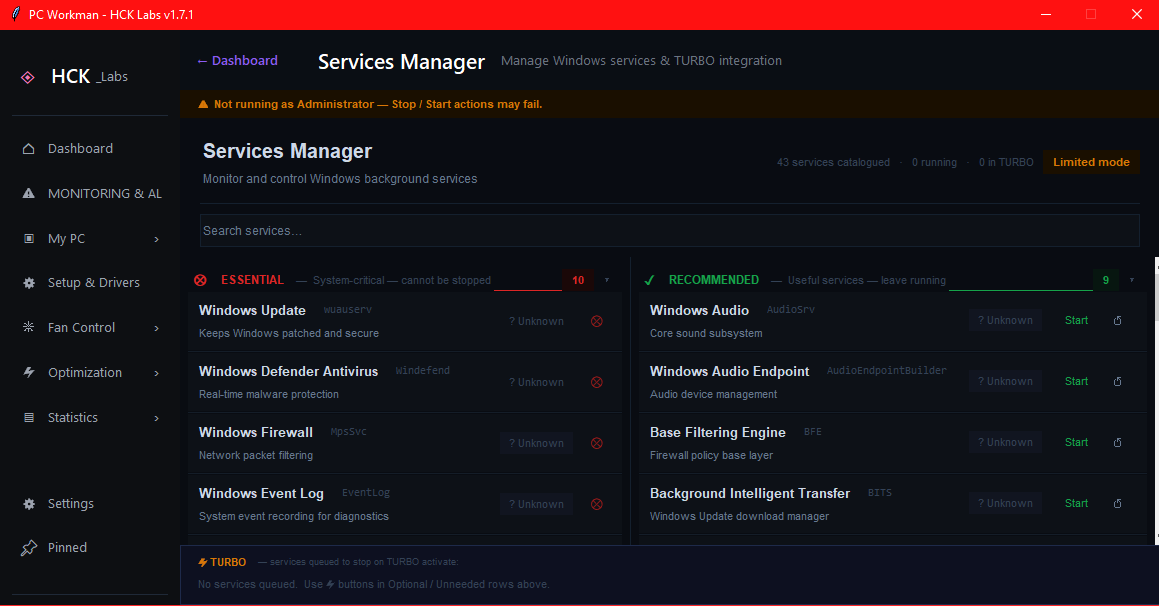
Services Manager – Windows services management, Gaming/Work/Economy modes
My PC + Optimization Center - Services Manager

Windows services under control — Gaming, Work or Economy, you pick

Manual service management + three ready-made modes in Optimization Center: each stops a different set of non-essential services. Whitelist protects critical processes — no crashes. Revert with one click, state saved to JSON.

Gaming — 14 services off Work — 23 services off Economy — 17 services off
NEW · v1.7.7 Driver Health

Ghost Driver Detection

You replaced a GPU years ago. The old driver is still in Windows — silently. Device Manager hides it by default. Most monitors don't see it at all.

PC_Workman compares Windows registry entries against pnputil /connected — which returns only hardware that's physically present. The gap is your ghost.

GPU · Audio · Network · USB pnputil removal
# registry says:
NVIDIA GeForce RTX 3050  ← active
NVIDIA GeForce GT 1030   ← ghost
# pnputil /connected says:
NVIDIA GeForce RTX 3050  ✓ connected
<GT 1030 not present>    ⚠ ghost

Shown with bordeaux background + ⚠ badge. One click → details + optional removal with admin confirmation.

NEW · v1.7.8 Monitoring & Alerts — adaptive baselines, not static thresholds

Thermal Baseline Learning

Every monitoring tool uses the same 80°C threshold for every machine. 72°C gaming on an air-cooled mid-tower is fine. The same 72°C during idle on a thin laptop is not.

PC_Workman classifies each snapshot into one of five workload buckets and learns mean + σ per bucket via Welford's online algorithm over the last 14 days. Chart baseline reflects your learned range — the tooltip tells you exactly how far off you are.

# workload buckets (live example)
idlecpu <15% 36°C ±2.1
light15–40% 48°C ±3.4
medium40–70% 63°C ±4.1
heavy≥70% 78°C ±5.8
gaminggpu≥60% 71°C ±4.2
# tooltip at 77°C while gaming:
"8% above usual (Gaming: 65–78°C)"

Voltage SPC — Median + MAD

Mean + σ breaks on voltage data: one spike shifts the mean, widens the band, and the next spike passes silently. Median is immune. MAD inherits that.

Four Nelson SPC rules run on rebuild: isolated spike, 2-of-3 cluster, 9-point sustained deviation, 6-point monotonic trend. 12V spikes during GPU load changes are suppressed — they're physically expected. Patterns that repeat ≥5× are decayed to "your hardware's normal".

# Iglewicz-Hoaglin 1993
M = 0.6745 × (x − median) / MAD
# thresholds
|M| > 3.5 anomaly
|M| > 2.5 warning
# Nelson rules
Rule 1 isolated spike
Rule 5 2-of-3 beyond warning
Rule 2 9 consecutive same side
Rule 3 6 consecutive monotonic
Requires LibreHardwareMonitor for voltage data
Also in v1.7.8: Pan + zoom charts Click-pin tooltip with baseline deviation Minimap navigation Proactive voltage alerts in hck_GPT

Built-in assistant

hck_GPT: 9-Layer Logic

Not an LLM API. Own local decision logic — fast, offline, specific.

82 intents — recognized query patterns, PL + EN
01 Intent Recognition 82 patterns + aliases → classification (EN + PL)
02 Context Classification gaming / work / idle / thermal / voltage...
03 Live Hardware Query queries real-time data from AllMonitor
04 Session History Check session min/max, previous anomalies
05 Stats & Alerts Lookup compares against your PC's learned norms
06 KB Profile Match TDP, Tj_Max, hotspot for your CPU/GPU
07 Response Generation answer with numbers, not generics
08 Action Suggestion concrete action if something needs attention
09 Format & Deliver clean output in the chat panel

Quick aliases in both languages — type "temp", "voltage", "gaming", "weekly", "fans" and you know immediately what's going on. No waiting.

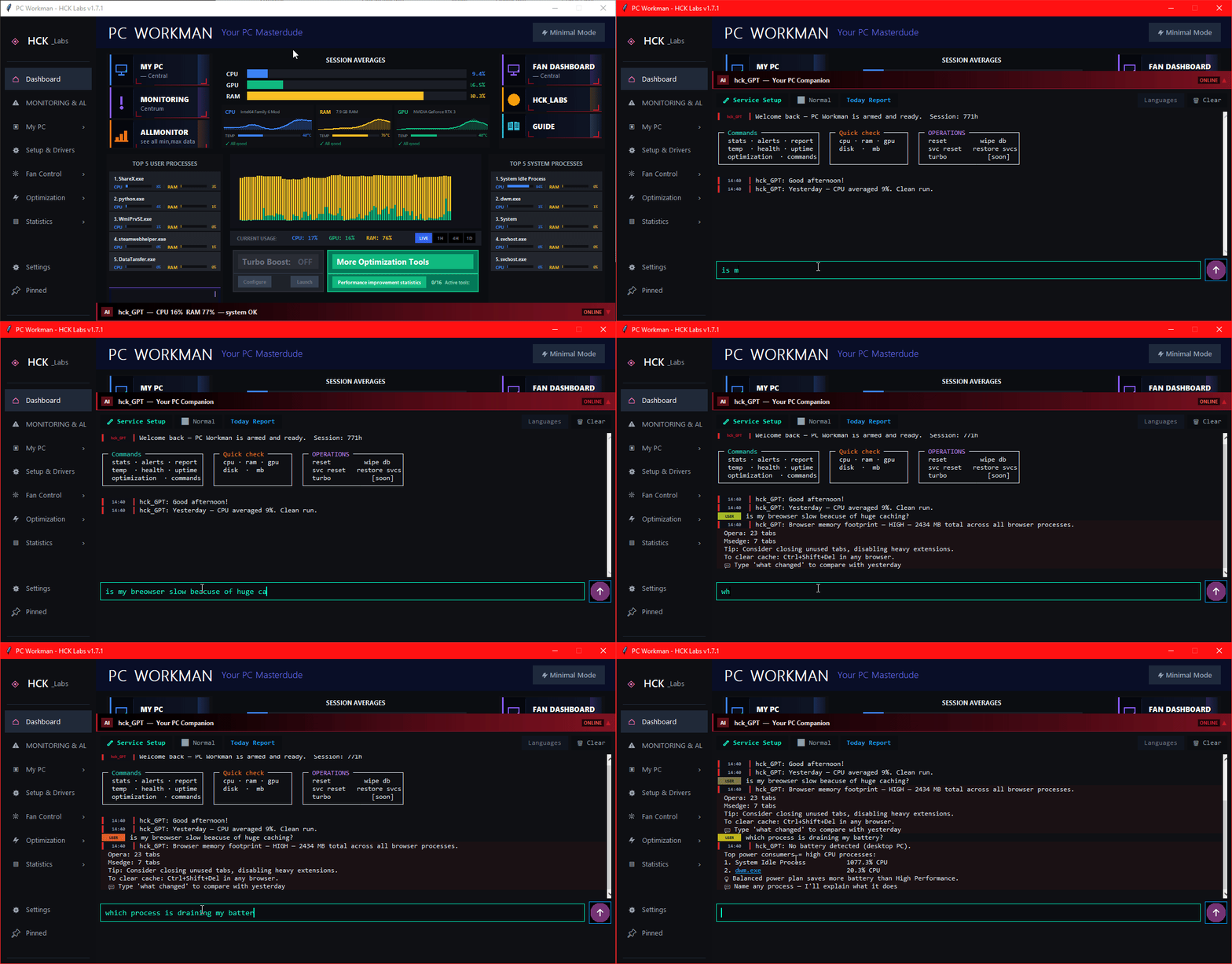
hck_GPT – 100 intents in action, query recognition

82 intents — Polish and English, auto-detected per message

hck_GPT – sample conversation, contextual answers

Real conversation — data from your hardware, not the internet

New in 1.7.9

Full-screen control center

One click (⤢) and the dashboard rebuilds into a symmetric full-screen layout.

MAXIMIZED VIEW MODE

TOP 8 processes on both sides, chart hub in the center

Hardware cards grow into mini-charts with the component name ("CPU Intel64…", "RAM 7.9 GB") drawn inside the chart corner. Turbo Boost and Optimization Center docked at the bottom.

GAMING-HUD TOOLTIP

Hover. Pin. Watch the age tick.

A translucent (72%) detail box follows your cursor over the chart. Click = PIN, styled like the hck_GPT strips: the tooltip docks to its bar, the sample age refreshes live, and the pin travels with the LIVE buffer.

HCK_GPT EVERYWHERE

Chat on MY PC and FAN DASHBOARD

The assistant banner no longer disappears when you leave the dashboard, and the chat is taller in maximized mode (+12%, Maximize mode +35%). Under the hood: −1326 lines of dead code and a dozen resource leaks gone.

Long-term learning

Stats & Alerts: 6–12 Months of Learning

Every PC is different. An RTX 4070 in one build runs at 78°C, in another at 84°C — and both are normal. Stats & Alerts collects data for 6–12 months and learns what your norm looks like.

After that it only alerts on things that actually need attention: unnatural voltage spikes (much more frequent than before), systematic temperature increases (= thermal paste replacement needed), anomalies deviating from the learned norm. Zero false alarms.

Example: learning CPU temp norm (i7-12700K)
Normal: 58–74°C  ·  Boost peak: 89°C  ·  Alert >91°C sustained
Example: learning 12V voltage norm
Normal: 11.94–12.06V  ·  Alert at: <11.7V or unnatural spike frequency
01

Natural temperature drift

Steady +3–5°C over several weeks = signal to replace thermal paste. Detected before CPU starts throttling.

02

Unnatural voltage spikes

If 12V spikes 3x more often than previous months — alert. PSU might be starting to fail.

03

CPU power patterns

Program learns when and how your CPU typically draws power. Anomalies visible immediately.

Compact mode

Minimalistic View Mode

PC_Workman Minimalistic View Mode – compact monitor

Compact display mode — smaller window, key metrics on top. Originally considered the main look of PC_Workman, it stepped aside for the full expanded view with 5 modules and a richer UI.

// STATUS — stable, lower priority

Minimalistic View works reliably — it runs hck_GPT, TURBO suite, and all monitoring features in a compact always-on-top window. Not actively extended right now; the main development focus is on the expanded view and v2.0.0 features. Richer widget support is on the roadmap for later this year.

Comparison

PC_Workman vs Competition

MSI Afterburner, HWMonitor, GPU Tweak, GeForce Experience, HWInfo

Feature MSI AB HWMonitor GPU Tweak GFE HWInfo PC_Workman
AI assistant (local) hck_GPT, 82 intents, offline
Ghost Driver Detection pnputil /connected, v1.7.7
Learns your PC's norms 6–12 mo. Stats & Alerts
TURBO mode (4 functions toggle) RAM + Plan + Services + Guard
Explains spike causes with AI context
Fan curve control Fan Dashboard
Weekly Report / history Partial charts, insight cards
Suspicious process detection automatic
One-click optimization + revert LimitedLimited full undo
Requires login ✅ 😒 privacy
Open Source GitHub MIT

The only alternative with local AI that learns your PC

Check it on GitHub

Build in Public

My Journey Solo Dev

Authentic story — no startup glamour

From Job Loss to Indie Project

December 22nd I lost my job in the Netherlands. Came back to Poland with one thing — determination to build something of my own. PC_Workman is being built on a 2014 laptop that regularly hits 90°C+. Not waiting for perfect hardware — building now.

No VC money, no team. Solo grind, late-night refactoring sessions, and every line of code solving my real problem. 18 months, from zero to hck_GPT with 82 intents, TURBO suite, Ghost Driver Detection, DeepMonitor, and a 2.5D hardware map.

"Constraint breeds creativity. The old laptop taught me to optimize every feature. That's the same experience PC_Workman gives its users."

Newsletter

Stay in the loop! Early access and updates straight to your inbox.

Latest Updates

v1.7.7 — Ghost Driver Detection landed. PC_Workman now finds driver packages left from hardware you replaced years ago. pnputil /connected vs registry comparison. GTX 1030 driver still sitting there after upgrading to RTX 3050? Found. Removable.

v1.7.6 — DeepMonitor rewrite (HWMonitor-style Treeview), 2.5D isometric PC Map with live heat mapping, hck_GPT Wave 2 (82 intents). Font system 100% coverage. Biggest update in months.

v1.7.2 — first proper .exe release. Startup Manager, Services Manager, hck_GPT with hybrid engine (local rules + Ollama LLM). Signed with Sigstore, 0/70 VirusTotal. Strangers on the internet ran a full security audit. It passed.

FAQ

Questions worth asking before you download

hck_GPT is a local engine — zero cloud, zero API key. Every message goes through an intent parser (82 recognized patterns in Polish and English). High-confidence matches route to a deterministic rule engine that pulls real-time data from your hardware. Low-confidence queries go to a local Ollama LLM with your full system state as context. Every answer references your actual CPU%, RAM%, temperatures, running processes — not generic text from a dataset.

TURBO mode activates with one toggle: Auto RAM Flush (automatically frees memory at >75% usage), Turbo Power Plan (creates a custom "Turbo PC" plan based on Ultimate Performance, switches automatically in fullscreen), Turbo Service Stop (stops up to 21 non-essential Windows services — with a 33-service protected whitelist), Process Guard (suspends idle processes below 0.8% CPU for 30s, auto-resume after 30min). 16 functions planned — these 4 are live and stable right now.

6–12 months is the optimal time to learn the natural temperatures and voltages of your PC across different scenarios (summer/winter, gaming/idle, various loads). During this time the program collects data in the background via AllMonitor with no performance impact. After that, alerts only appear for real anomalies — unnatural temperature increases or voltage spikes deviating from the learned norm. No false alarms like "95°C is high" if your CPU normally runs at 89–95°C under load.

MSI Afterburner is great for GPU OC and OSD — shows raw data. PC_Workman explains what that data means in the context of your specific PC. There's no single "killer feature" here — it's a different tool with a different goal. AB: overclocking and monitoring. PC_Workman: an assistant that learns your hardware, optimizes the system and answers hardware questions locally.

Yes. PC_Workman was built on an i7-4710HQ from 2014, 8GB RAM, regular 90°C+. Background monitoring has a minimal footprint, hck_GPT doesn't query any external API. If it runs on this old machine, it'll run on yours.

For basic monitoring (CPU/RAM/GPU usage, temps) — no. For TURBO mode (stopping services, changing power plans, suspending processes) — yes, those are system operations. The program only asks for privileges when needed. Full source code on GitHub — you can verify every line.

Planned for v1.8.0+. Along with that, Minimalistic View Mode (which has been on hold for a while) will be updated, and probably a few UI things too. Subscribe to the newsletter to get notified first.